
Everything between the bundle and the invoice.
Twelve parts of one workflow: request, handover, count, receipt, delivery, confirmation — and the pricing, reports and controls that hold it together.
Order requests
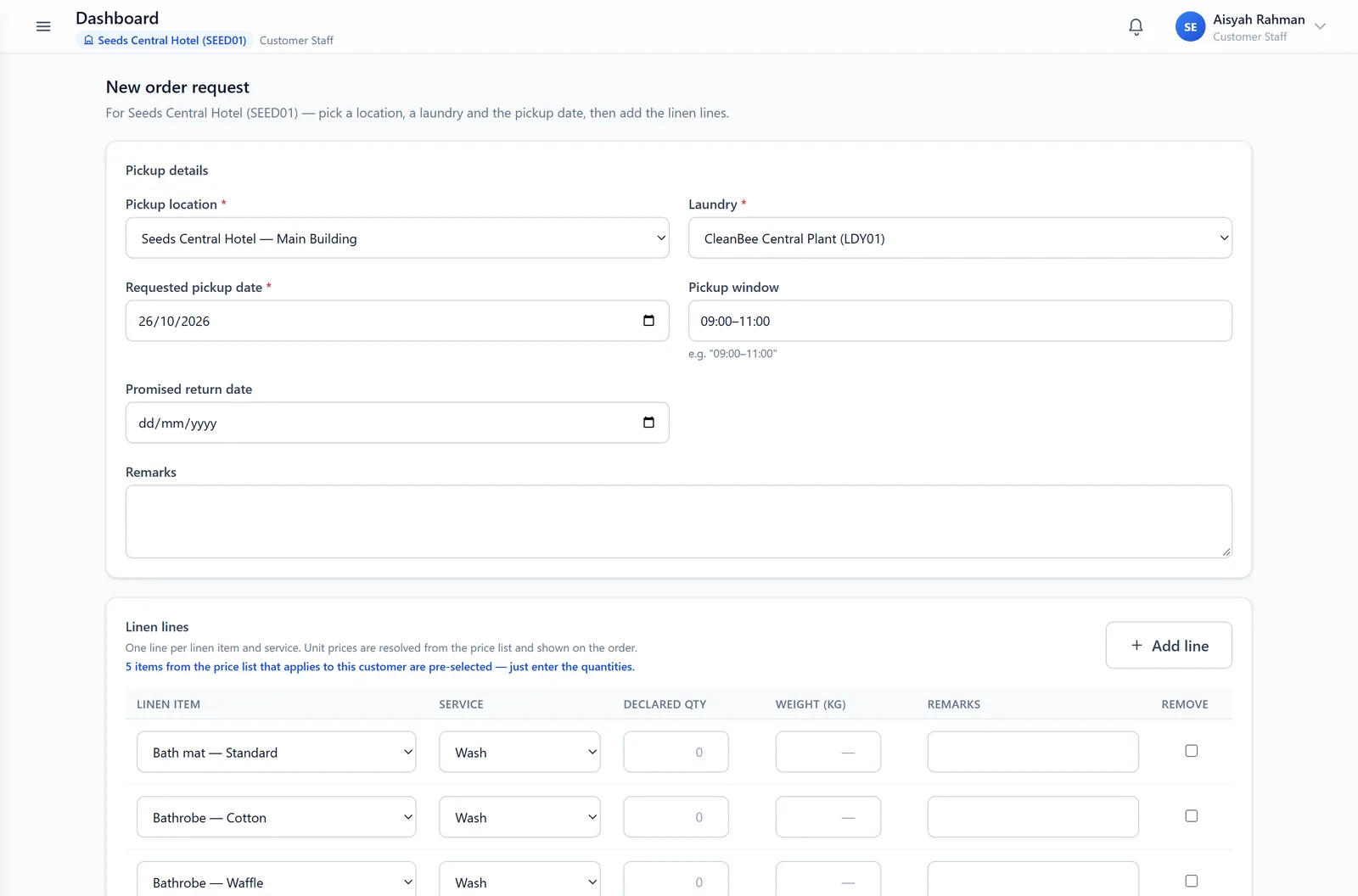
A request that arrives already filled in
Front office or housekeeping picks the outlet and date. Everythin is pre-configured, so the operator only enters quantities.
- Prefilled from the customer's own price list
- Pre-configure workflow from Entering Order to Laundry Workdone!
Handover
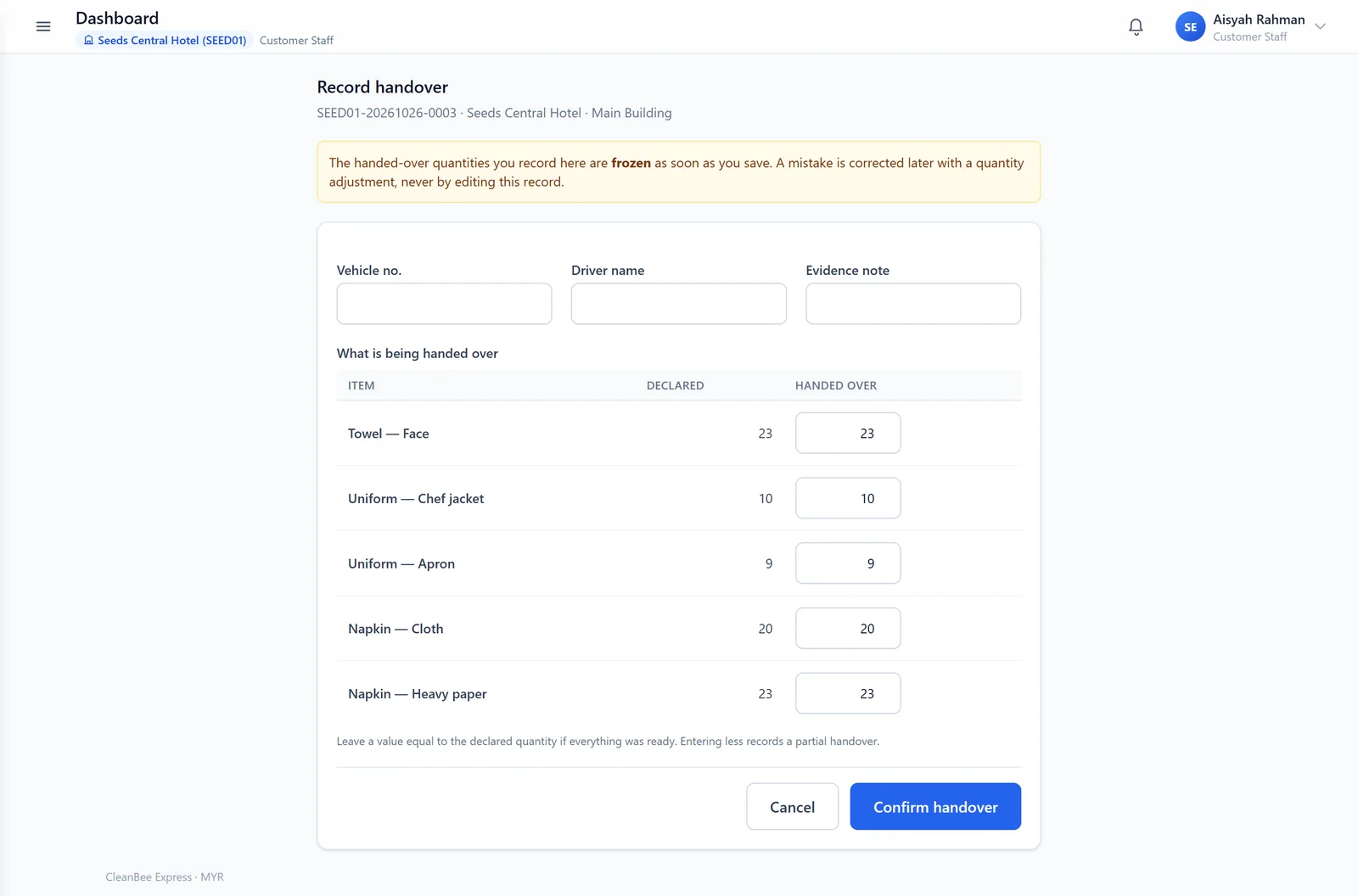
Record what actually left the building
The Hotel records the handover — piece counts per line, who handed it over and when.
Receive counting
The second count is the one that pays
The laundry counts what arrived. Each line shows a variance badge against the tolerance agreed for that property, and a count outside tolerance is refused until a claim exists.
- Tolerance resolution: Configurable
- Using Color tag to show the level of tolerance
- A confirmed quantity can only be changed by an appended correction
Work-done receipts
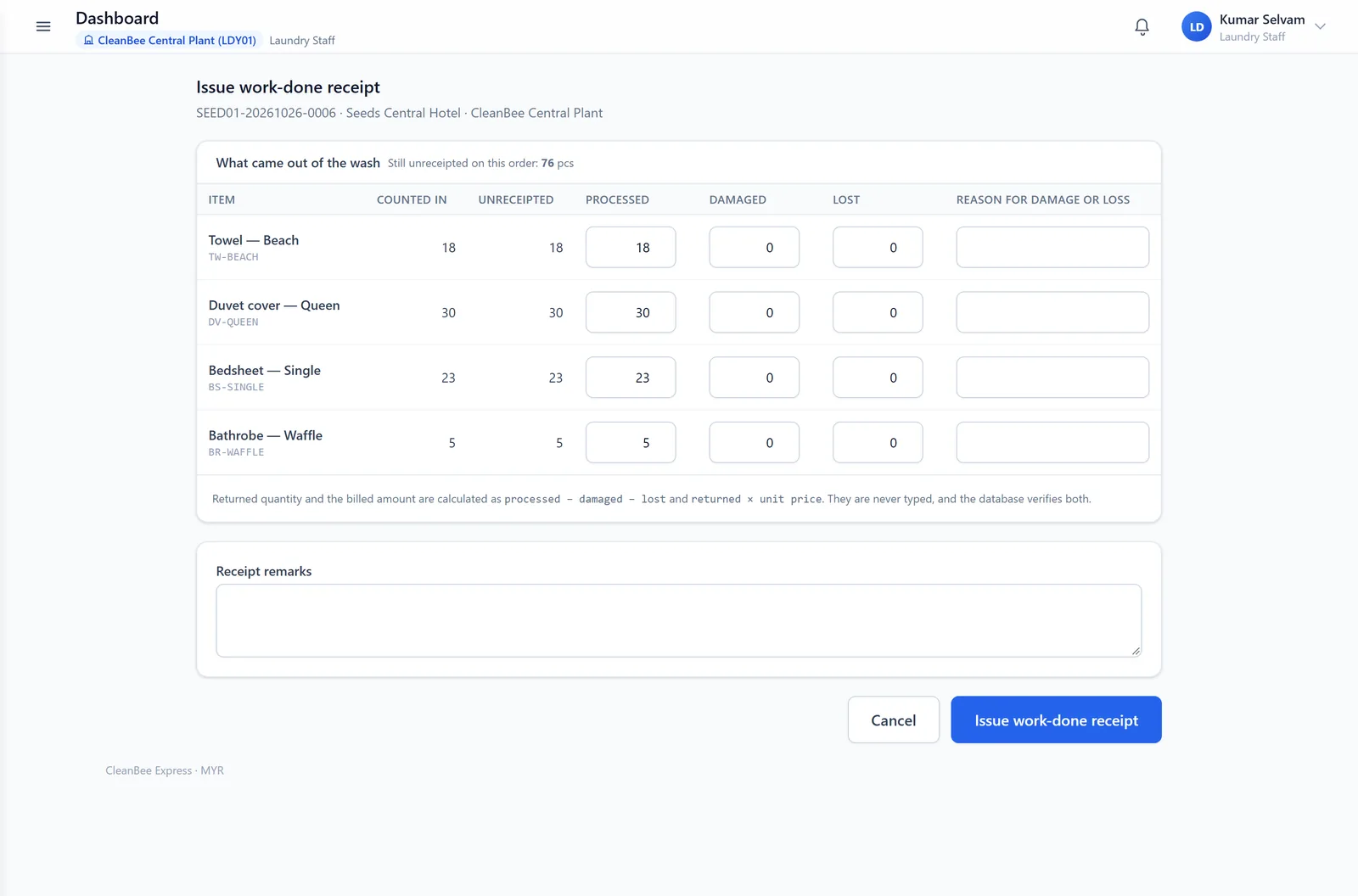
Processed, damaged, lost — calculated
We records what came out of the wash. The returned quantity and the amount billed are computed, and damage or loss beyond tolerance must carry a claim before the receipt is issued.
- Returned quantity = processed, less damaged and lost
- Amount charge use pre-configure price
- Damage and loss can be manage through claim
Delivery & signature
Customer confirmation
Tick “all arrived”, or count and let the system raise the claim
Your team confirms receipt. The fast path accepts the delivered quantities; unticking it reveals per-line counts, and a count outside tolerance raises the customer's claim automatically.
- One tick for the normal case
- Per-line counts when something looks wrong
- Automatic claim with the variance already populated
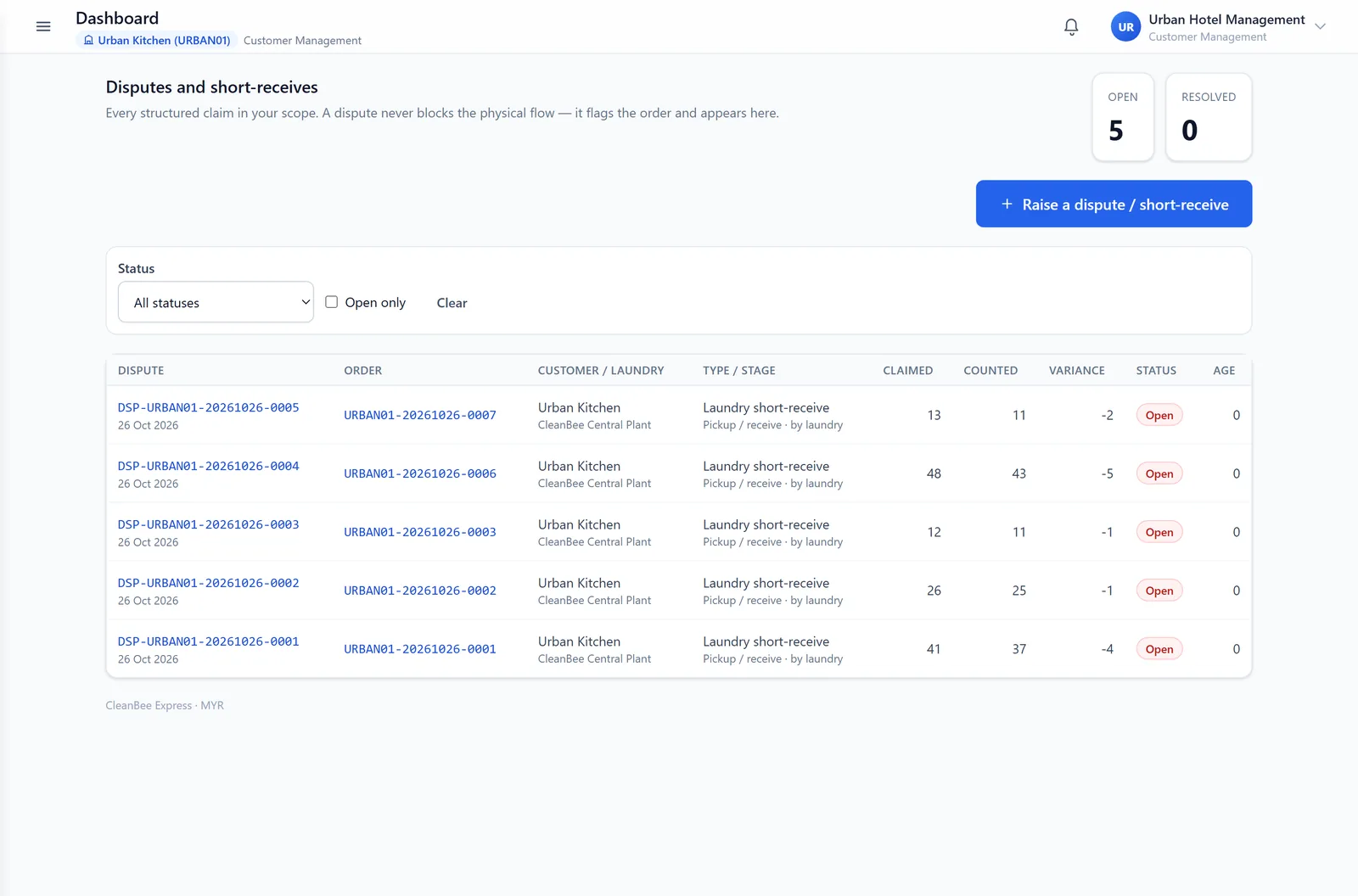
Disputes
A claim with evidence, not an email thread
Disputes are typed — short-receive at pickup or delivery, damage, loss, quality or price — and carry the lines in question, evidence video and a full conversation timeline.
- Raised by either side, about their own orders
- Evidence video and documents attached to the claim
- Resolution codes: credit note, redo wash, replacement, partial credit, no action
Corrections & audit
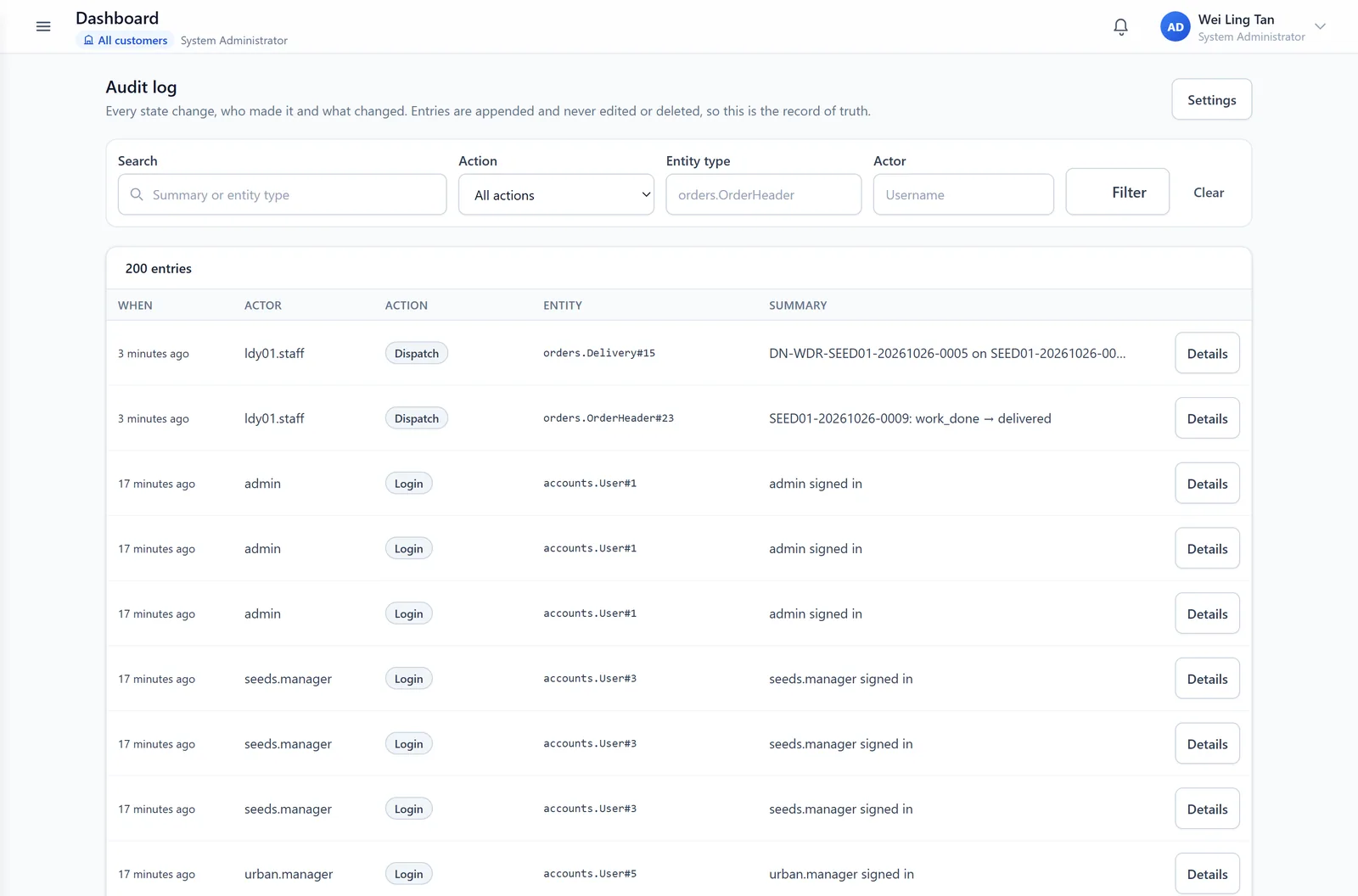
Nothing is edited. Everything is explained.
A wrong count is fixed by add a new quantity adjustment; a wrong rate by a billing adjustment. Both carry a reason and sit beside the figure they correct, and every action is written to the audit log.
- Separate records on quantity and billing adjustments
- Audit entries record actor, time, and request address
Pricing
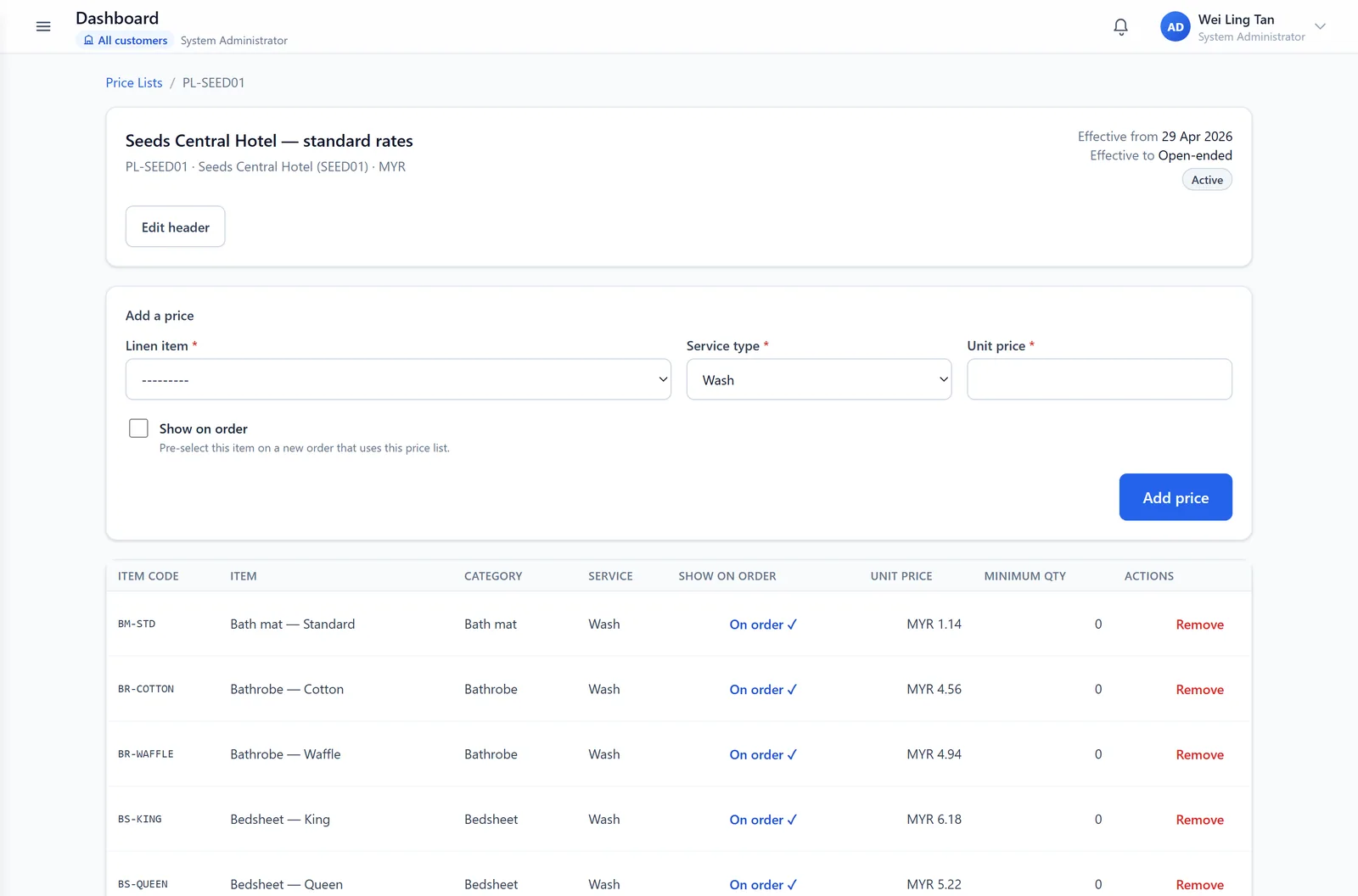
One price list, effective-dated
Prices are set per item and service — wash, dry clean, iron, wash and iron, stain treatment, repair — for each hotels. A new rate starts on a date; it never rewrites an old order.
- Effective-from / effective-to windows, exclusive end date
- Price copied into each order
- Order template is provided with pre-filled type of linen
Reports & dashboard
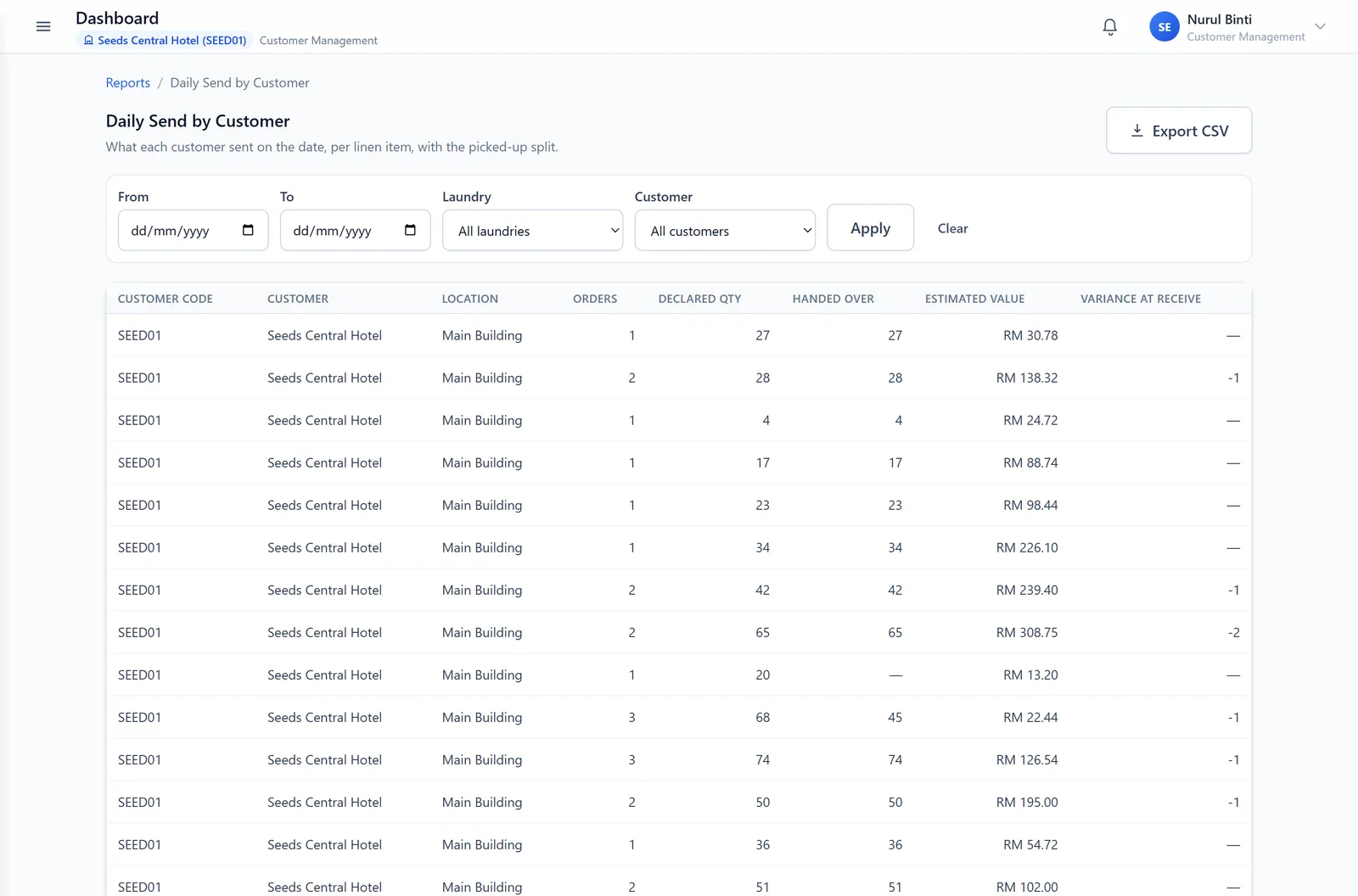
Four daily reports and a cost figure you can trust
Daily send, daily receive, work done and pending, and dispute / short-receive — each filtered by date, laundry and customer, and exportable to CSV. The dashboard shows yesterday and month-to-date.
- Yesterday's sent and received quantities, compared with the day before
- Cost month-to-date, scoped to the property
- CSV export for finance
Roles & access
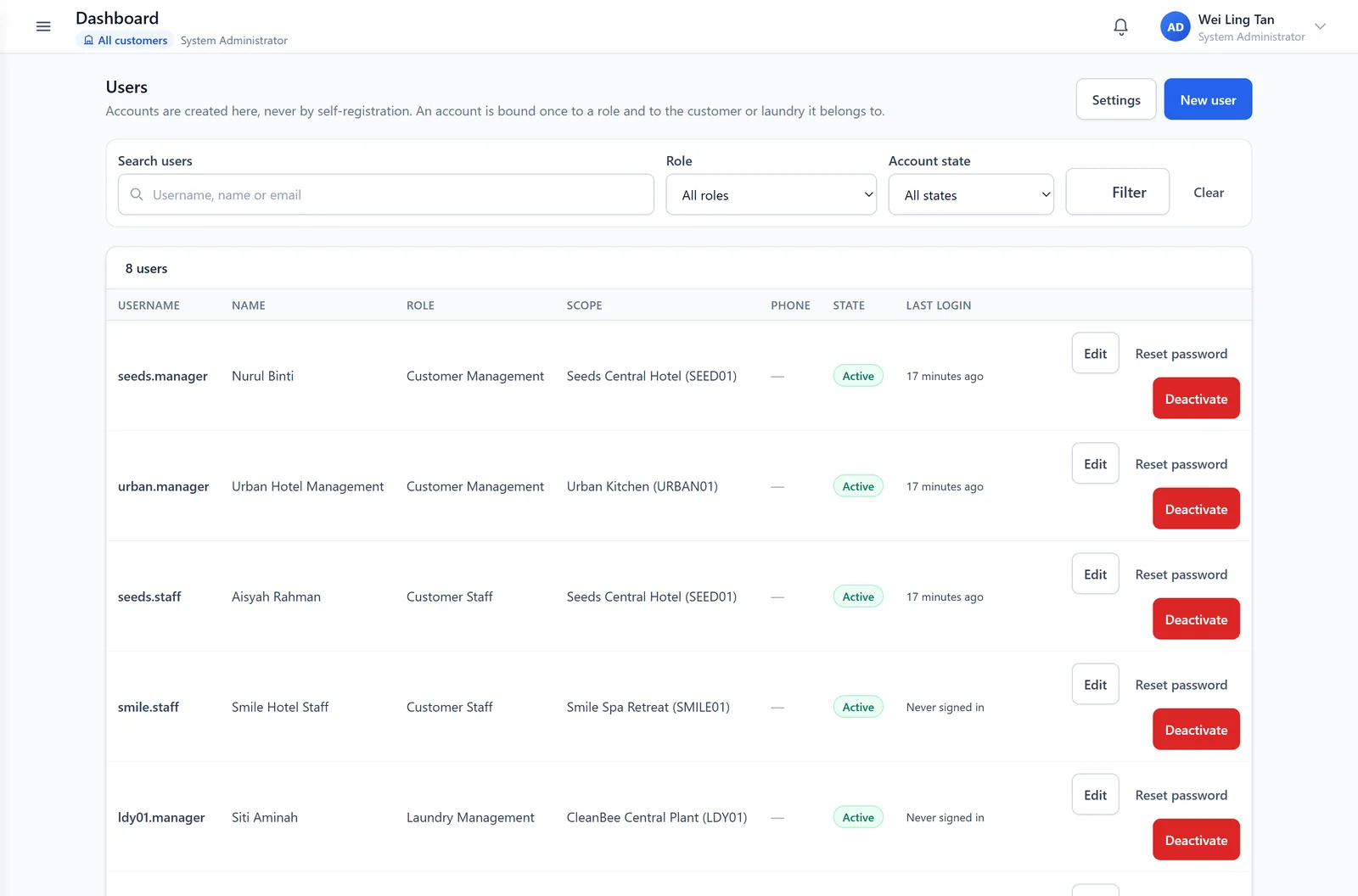
Five roles, each with its own scope
Hotel staff and hotel's management see their hotels; laundry staff and laundry management see their plant; a system administrator configures the lot. Role and scope are enforced on the query, not just the menu.
- Hotel users bound to a hotel, laundry users to a laundry
- Location grants narrow a hotel user to specific outlets
- Every account sets its own password at first sign-in
Runs where the work happens
A browser, a shared tablet
No manual install, no app store, no per-device licence. Pages are built mobile-first for gloved hands and shared devices, and updates automaticaly.
- Works on the PC and tables you already own
- Large tap targets and readable
- Nothing to deploy on your side
Compare
Before and after
The same hotels, the same laundry, a different record.
| Question | Without a shared record | With CleanBee Express |
|---|---|---|
| How many pieces left? | A number on a paper sheet, if the sheet survives | Recorded per line, by a named user, at handover |
| How many arrived? | The laundry's word against the bundle | Counted at the plant, with a variance recorded per line |
| Something is short | A phone call, then a discount request at month-end | A claim with evidence, before the invoice is approved |
| What does this invoice cover? | A spreadsheet rebuilt from emails | Each line traced to an order, a count and a price |
| Can this be reviewed? | Only what somebody remembers | An append-only audit trail of every action |
Next step
Bring one week of linen data.
We will walk the same six checkpoints through your hotels, with your items and your laundry.